


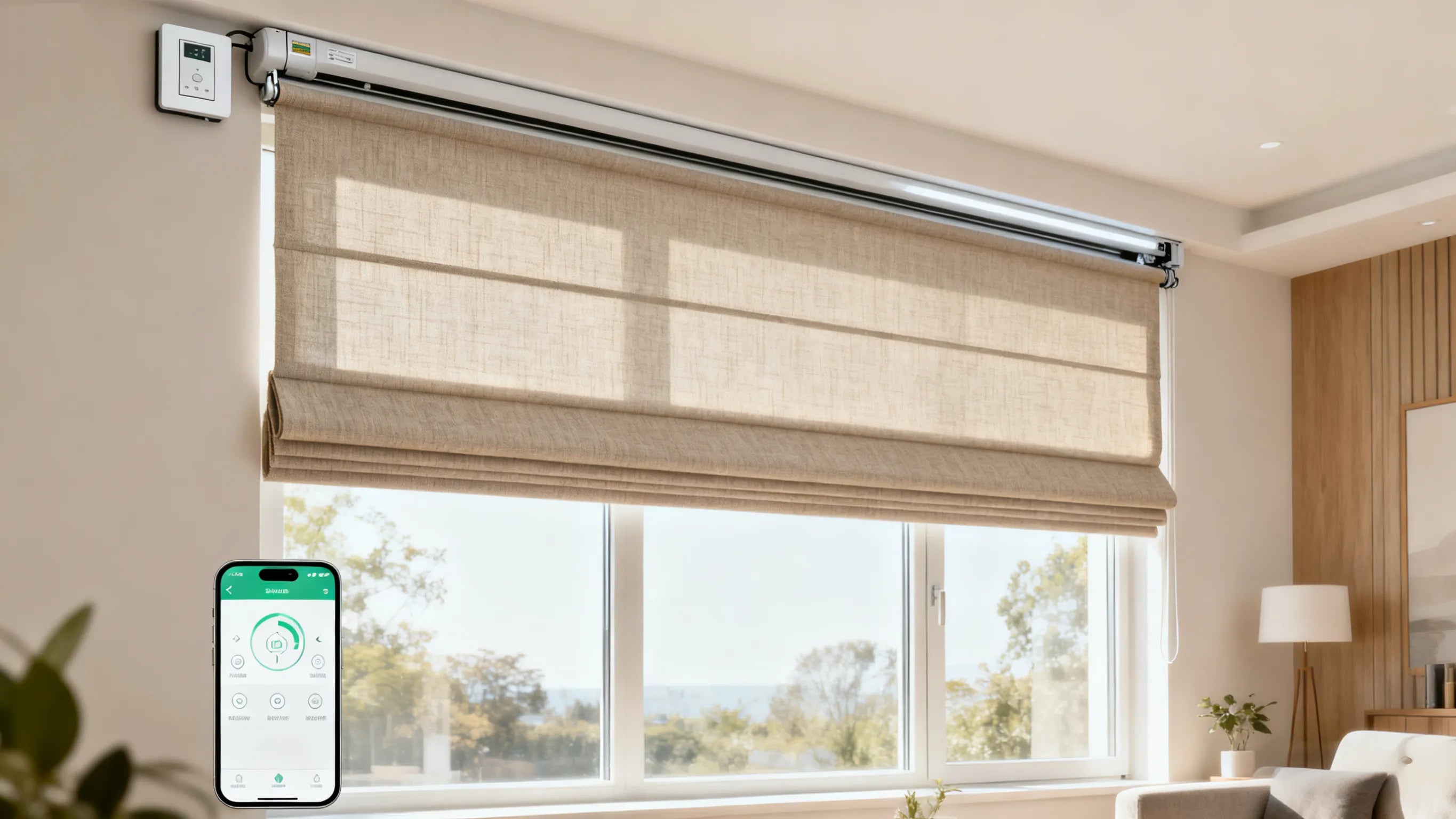

Let's be real. The whole point of getting smart home gadgets is to make your life a little bit lazier (in the best way possible). Manually opening and closing your blinds? That's so 2010.
Imagine this: You're cozied up on the couch, a movie is just starting, and you realize the sun is glaring on the screen. Instead of hitting pause and getting up, you just say, "Hey Google, close the living room blinds." Magic.
Or, picture waking up and having your shades open automatically with your "Good Morning" routine. It’s a game-changer.
Connecting your motorized blinds to Alexa or Google Home is way easier than it sounds. Here’s your no-nonsense, step-by-step guide to getting it done.
First Things First: What You'll Need
Before we dive in, let's do a quick gear check. You'll need:
1.Motorized Blinds or Shades: This could be a full smart-blinds set (like IKEA,sulugood,berissa etc.) or a motor you can add to your existing blinds (like a SwitchBot Curtain Rod).
2.The Right Hub (Sometimes): Some brands, like sulugood or ikea, need their own little hub or bridge that plugs into your router. Not all brands need this, so check the box!
3.A Voice Assistant: An Amazon Echo (for Alexa) or a Google Nest Speaker (for Google Assistant).
4.Your Phone: With the Alexa or Google Home app installed.
Pro Tip: Before you buy anything, double-check that the blinds you're looking at say "Works with Alexa" or "Works with Google Assistant" right on the box or product page. This saves a major headache later.
The Simple 3-Step Process to Make It Work
The exact steps can vary a bit by brand, but the overall flow is almost always the same.
Step 1: Get Your Shades Talking to Their OWN App
Before Alexa or Google can talk to your shades, your shades need to be set up and working on their own.
1.Install Them: Get the shades or the motor mounted on your window.
2.Power Up & Connect: Plug them in and download the brand's official app (like the "BERISSA smart" app or "SwitchBot" app). Follow the in-app instructions to connect your shades to your Wi-Fi network (or to their hub).
At this point, you should be able to open and close your blinds using the brand's app. If you can do that, you're golden for the next step.
Step 2: Introduce Your shades to Alexa or Google Home
Now it's time to make the introduction. We're basically telling your voice assistant, "Hey, meet my new smart blinds."
For the Alexa Crowd:
1.Open the Alexa app on your phone.
2.Tap the "Devices" tab at the bottom.
3.Hit the "+" icon in the top right and select "Add Device."
4.Either find your brand name (like "SwitchBot") in the list, or just select "Other" and let Alexa scan for it.
5.You'll probably be asked to log into your shades' account to link it. This is normal! It just gives Alexa permission to see your blinds.
6.Once it finds them, they'll pop up in your Devices list. Give them a clear name like "Living Room shades" – you'll be glad you did when you're yelling commands later.
For Team Google:
1.Open the Google Home app.
2.Tap the "+" in the top left corner, then hit "Set up device."
3.Select "Works with Google."
4.Now, search for your blinds' brand in the list.
5.Tap on it and log into your account for that brand to link everything up.
6.Google will then pull in your shades. Make sure to assign them to the right room (e.g., "Bedroom") for the best experience.
Step 3: Talk to Your Blinds! (The Fun Part)
You're all set! Now for the magic. Try out some simple commands:
"Alexa, open the living room blinds."
"Hey Google, close the bedroom shades."
"Alexa, set the office blinds to 50%." (This works if your shades support partial opening!)
"Hey Google, open all the blinds."
Level Up: Create Routines!
This is where it gets really cool. You can make your shades part of an automation.
Create a "Good Morning" routine that opens your blinds, turns on the lights, and starts playing your favorite news briefing when you say one command.
Create a "Movie Night" routine that dims the lights, closes the shades, and turns on the TV all at once.
Uh-Oh? Let's Troubleshoot.
"My Alexa/Google can't find my blinds!"
Check the Wi-Fi: Most smart home gadgets are picky and only work on the 2.4GHz Wi-Fi band (not 5GHz). Make sure they're on the right one.
Reboot Everything: Seriously. Turn your blinds off and on, unplug your hub and your Echo/Google Nest for 30 seconds, then plug it all back in. It fixes like 90% of problems.
Re-link the Skill/App: Go into the Alexa or Google Home app and unlink, then re-link the service for your shades brand.
"The command works, but nothing happens!"
Is the motor plugged in and powered on? (We've all been there).
Check if the blinds are too far from the hub or router. Walls can mess with the signal.
You're All Set!
And that's it! Kicking back and controlling your blinds with your voice is one of those small luxuries that never gets old. It’s the ultimate blend of convenience and pure cool factor.
Now go enjoy your new, super-powered smart home. Go ahead, tell your shades what to do—they can take it.

Share:
2025 Ultimate Guide to shades Shopping in North America
Does Your Window Need a 'Makeover'? This Dual Roller Shade Is Changing Lives